 MyDeskMate
Sarkari Photo & Signature Resizer 2026: Exact KB Size Guide
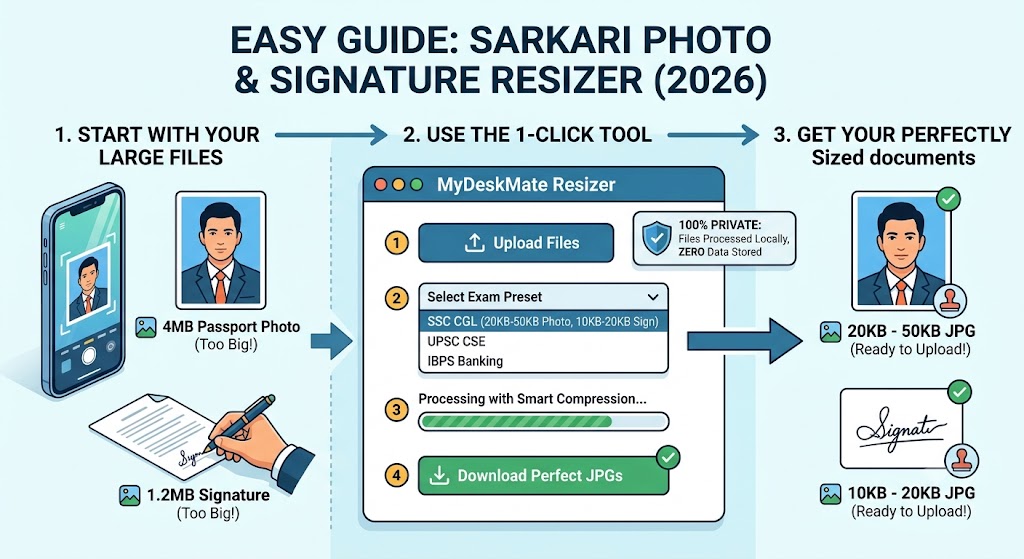
Applying for Indian government exams is already a highly competitive and stressful process. The last thing you need is a frustrating error message on the application portal saying, "File size too large" or "Invalid image dimensions."Whether you are applying for UPSC, SSC, Banking (IBPS), or State Police exams, almost every recruitment portal has strict guidelines for uploading your passport-size photograph and signature.If you are struggling to compress your 4MB smartphone picture into a tiny 20KB to 50KB file without making it blurry, you are in the right place. In this guide, we will break down the exact photo and signature dimensions required for major Sarkari exams and show you how to instantly fix your files using a dedicated sarkari photo and signature resizer.Why Image Resizing is the Biggest Hurdle in Online FormsModern phone cameras take stunning, high-resolution pictures that easily weigh between 3MB and 5MB. However, government servers simply cannot handle millions of large files. To manage server load, portals like SSC, UPSC, and Railway Recruitment Boards (RRB) strictly enforce size limits—often capping photos at 50KB and signatures at 20KB.Attempting to resize these manually using basic paint tools often results in stretched faces, unreadable signatures, or files that are still too heavy. A specialized tool ensures you hit the exact kilobyte (KB) target while maintaining the required pixel dimensions.Standard Photo and Signature Specifications for Major Indian ExamsDifferent recruiting bodies have distinct requirements for image uploads. Here is a quick reference table for the most popular government exams in India:
Try MyDeskMate Free Conversion Tools Today
100% Client-Side Privacy, Lightning-Fast Processing, Zero Software Downloads.
Explore All Free Tools